
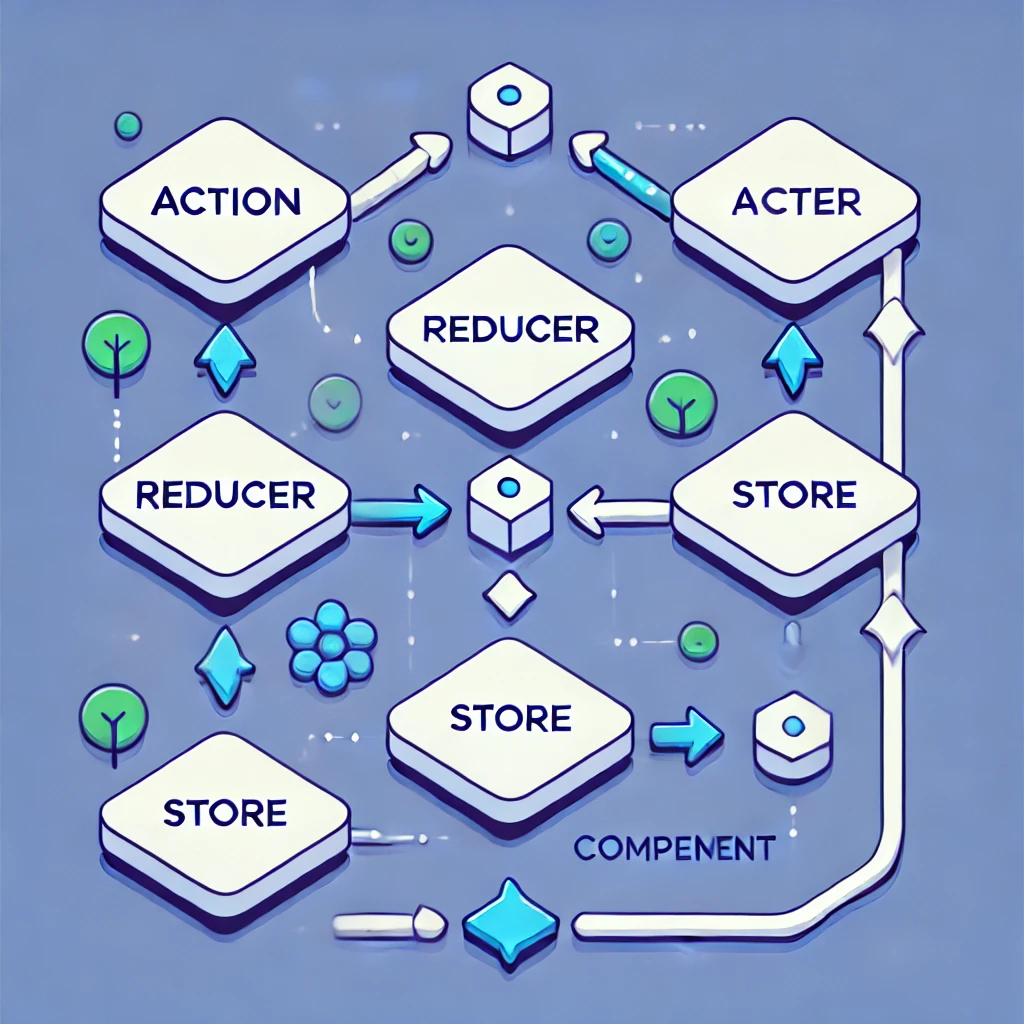
Redux Toolkit is the way I would recommend learning Redux today.
Older Redux tutorials often start with createStore, manually written action types, action creators, reducers, and separate middleware setup. Those concepts are still useful for understanding how Redux works internally, but they are no longer the best starting point for a real React application.
In modern projects, I prefer Redux Toolkit, React-Redux hooks, TypeScript, and RTK Query. This approach gives you less boilerplate, safer state updates, better defaults, and a structure that scales much more cleanly.
In this guide, I’ll explain Redux from the basics to more practical production patterns, including slices, selectors, async logic, normalized state, RTK Query, TypeScript, and the mistakes I try to avoid in larger applications.
What Is Redux?
Redux is a predictable state-management library for JavaScript applications.
The basic idea is simple:
UI
 ↓
dispatch(action)
 ↓
Redux reducer
 ↓
new state
 ↓
UI updates
Instead of allowing components to change shared state directly, Redux keeps those changes explicit and predictable.
When I Use Redux
I do not use Redux automatically in every React project.
For a small component or a simple page, useState, useReducer, or Context may already be enough.
I start considering Redux when the application has several of these characteristics:
- many components need the same state
- state transitions are becoming difficult to track
- several features update the same data
- the application needs strong debugging visibility
- server data needs caching and invalidation
- the project has several developers working on shared state
The important question is not “Is Redux popular?” It is “Will Redux make this application easier to understand and maintain?”
Redux Toolkit Is the Modern Redux API
If I were starting a Redux application today, I would install Redux Toolkit and React-Redux:
npm install @reduxjs/toolkit react-reduxRedux Toolkit includes the Redux core plus utilities for store configuration, reducers, immutable updates, async logic, and data fetching.
It also includes good defaults such as Redux DevTools support and development checks.
Step 1: Create the Redux Store
Create a file such as:
src/app/store.tsThen configure the store:
import {
  configureStore,
} from '@reduxjs/toolkit';

export const store =
  configureStore({
    reducer: {},
  });

export type RootState =
  ReturnType<
    typeof store.getState
  >;

export type AppDispatch =
  typeof store.dispatch;
configureStore() replaces the old manual createStore() setup for normal Redux Toolkit applications.
Step 2: Add Redux to React
Wrap the application with the React-Redux Provider.
import {
  StrictMode,
} from 'react';
import {
  createRoot,
} from 'react-dom/client';
import {
  Provider,
} from 'react-redux';

import App from './App';
import {
  store,
} from './app/store';

createRoot(
  document.getElementById(
    'root'
  )!
).render(
  <StrictMode>
    <Provider store={store}>
      <App />
    </Provider>
  </StrictMode>
);
Components inside the provider can now read Redux state and dispatch actions.
Step 3: Create Your First Slice
A slice groups the state, reducers, and generated actions for one feature.
Create:
src/features/counter/counterSlice.tsimport {
createSlice,
PayloadAction,
} from '@reduxjs/toolkit';
type CounterState = {
value: number;
};
const initialState:
CounterState = {
value: 0,
};
const counterSlice =
createSlice({
name: 'counter',
initialState,
reducers: {
increment(state) {
state.value += 1;
},
decrement(state) {
state.value -= 1;
},
incrementByAmount(
state,
action:
PayloadAction<number>
) {
state.value +=
action.payload;
},
},
});
export const {
increment,
decrement,
incrementByAmount,
} = counterSlice.actions;
export default
counterSlice.reducer;This syntax may look like it is mutating state directly:
state.value += 1;Redux Toolkit uses Immer internally, so you can write this simpler update syntax while still producing immutable state updates.
Step 4: Add the Slice to the Store
import {
  configureStore,
} from '@reduxjs/toolkit';

import counterReducer
  from '../features/counter/counterSlice';

export const store =
  configureStore({
    reducer: {
      counter:
        counterReducer,
    },
  });

export type RootState =
  ReturnType<
    typeof store.getState
  >;

export type AppDispatch =
  typeof store.dispatch;
Your Redux state now has a shape similar to:
{
  counter: {
    value: 0
  }
}
Step 5: Create Typed Redux Hooks
In TypeScript projects, I prefer creating typed versions of useDispatch and useSelector once instead of repeating types in every component.
import {
  useDispatch,
  useSelector,
  type TypedUseSelectorHook,
} from 'react-redux';

import type {
  AppDispatch,
  RootState,
} from './store';

export const useAppDispatch =
  () =>
    useDispatch<AppDispatch>();

export const useAppSelector:
  TypedUseSelectorHook<RootState> =
    useSelector;
Now components can stay clean and type-safe.
Step 6: Read and Update Redux State
import {
  decrement,
  increment,
} from './counterSlice';

import {
  useAppDispatch,
  useAppSelector,
} from '../../app/hooks';

export function Counter() {
  const count =
    useAppSelector(
      (state) =>
        state.counter.value
    );

  const dispatch =
    useAppDispatch();

  return (
    <div>
      <p>
        Count: {count}
      </p>

      <button
        onClick={() =>
          dispatch(
            increment()
          )
        }
      >
        Increment
      </button>

      <button
        onClick={() =>
          dispatch(
            decrement()
          )
        }
      >
        Decrement
      </button>
    </div>
  );
}
The component reads only the part of state it needs and dispatches actions rather than directly changing the store.
Understanding Actions and Reducers
Even though Redux Toolkit generates most of the boilerplate for us, the underlying Redux concepts are still important.
When this runs:
dispatch(
  increment()
);
Redux Toolkit creates an action similar to:
{
  type:
    'counter/increment'
}
The reducer receives the current state and that action, then calculates the next state.
Current State
     +
Action
     ↓
Reducer
     ↓
Next State
You still benefit from understanding this flow even though Redux Toolkit hides much of the repetitive setup.
Do Not Put Everything in Redux
One of the most common Redux mistakes I see is turning the Redux store into a database for every value in the application.
For example, this usually does not need Redux:
const [
  isModalOpen,
  setIsModalOpen,
] = useState(false);
If only one component cares whether its modal is open, local component state is often the better choice.
I normally use Redux for state that is genuinely shared or needs predictable application-wide management.
Client State vs Server State
This distinction has become increasingly important in modern React applications.
Client state
State created and controlled by the application itself.
- selected filters
- shopping cart state
- UI preferences
- workflow state
- draft data
Server state
Data owned by an API or database.
- users
- products
- orders
- notifications
- reports
Server state often needs fetching, caching, invalidation, loading states, and retry behavior.
I would not normally build all of that manually with plain reducers if RTK Query already solves the problem.
RTK Query for API Data
RTK Query is part of Redux Toolkit and is designed specifically for fetching and caching server data.
Create an API definition:
import {
  createApi,
  fetchBaseQuery,
} from '@reduxjs/toolkit/query/react';

type User = {
  id: number;
  name: string;
  email: string;
};

export const usersApi =
  createApi({
    reducerPath: 'usersApi',

    baseQuery:
      fetchBaseQuery({
        baseUrl:
          '/api',
      }),

    tagTypes: [
      'User',
    ],

    endpoints:
      (builder) => ({
        getUsers:
          builder.query<
            User[],
            void
          >({
            query: () =>
              '/users',

            providesTags: [
              'User',
            ],
          }),

        createUser:
          builder.mutation<
            User,
            Pick<
              User,
              'name' |
              'email'
            >
          >({
            query: (user) => ({
              url: '/users',
              method: 'POST',
              body: user,
            }),

            invalidatesTags: [
              'User',
            ],
          }),
      }),
  });

export const {
  useGetUsersQuery,
  useCreateUserMutation,
} = usersApi;
Add it to the store:
import {
  configureStore,
} from '@reduxjs/toolkit';

import {
  usersApi,
} from '../features/users/usersApi';

export const store =
  configureStore({
    reducer: {
      [usersApi.reducerPath]:
        usersApi.reducer,
    },

    middleware:
      (getDefaultMiddleware) =>
        getDefaultMiddleware()
          .concat(
            usersApi.middleware
          ),
  });
Now the component can focus on rendering data instead of manually coordinating request actions.
import {
  useGetUsersQuery,
} from './usersApi';

export function UsersList() {
  const {
    data: users,
    isLoading,
    isError,
  } = useGetUsersQuery();

  if (isLoading) {
    return <p>Loading...</p>;
  }

  if (isError) {
    return (
      <p>
        Unable to load users.
      </p>
    );
  }

  return (
    <ul>
      {users?.map(
        (user) => (
          <li key={user.id}>
            {user.name}
          </li>
        )
      )}
    </ul>
  );
}
RTK Query handles a lot of infrastructure for you, including caching and request lifecycle state.
When I Still Use createAsyncThunk
Not every async workflow is a simple server-data query.
For asynchronous business logic that belongs to Redux state, createAsyncThunk can still be useful.
import {
  createAsyncThunk,
  createSlice,
} from '@reduxjs/toolkit';

export const checkout =
  createAsyncThunk(
    'checkout/submit',

    async (
      orderId: string
    ) => {
      const response =
        await fetch(
          `/api/orders/${orderId}/checkout`,
          {
            method: 'POST',
          }
        );

      if (!response.ok) {
        throw new Error(
          'Checkout failed'
        );
      }

      return response.json();
    }
  );
The slice can respond to the Promise lifecycle:
const checkoutSlice =
  createSlice({
    name: 'checkout',

    initialState: {
      status: 'idle',
      error: null,
    },

    reducers: {},

    extraReducers:
      (builder) => {
        builder
          .addCase(
            checkout.pending,
            (state) => {
              state.status =
                'loading';
            }
          )

          .addCase(
            checkout.fulfilled,
            (state) => {
              state.status =
                'success';
            }
          )

          .addCase(
            checkout.rejected,
            (
              state,
              action
            ) => {
              state.status =
                'failed';

              state.error =
                action.error
                  .message ??
                'Checkout failed';
            }
          );
      },
  });
My general rule is:
Fetching / caching API data?
→ RTK Query

Async workflow tightly coupled to Redux state?
→ createAsyncThunk may fit
Selectors Keep Components Cleaner
Instead of repeating state-navigation logic throughout components, I prefer exporting selectors from the feature.
import type {
  RootState,
} from '../../app/store';

export const selectCount =
  (state: RootState) =>
    state.counter.value;
Then the component becomes:
const count =
  useAppSelector(
    selectCount
  );
This becomes more valuable when selectors contain meaningful domain logic.
Memoized Selectors with createSelector
For derived data that is expensive or returns new references, Redux Toolkit re-exports createSelector.
import {
  createSelector,
} from '@reduxjs/toolkit';

const selectProducts =
  (state: RootState) =>
    state.products.items;

const selectSearch =
  (state: RootState) =>
    state.products.search;

export const
  selectFilteredProducts =
    createSelector(
      [
        selectProducts,
        selectSearch,
      ],

      (
        products,
        search
      ) => {
        const value =
          search.toLowerCase();

        return products.filter(
          (product) =>
            product.name
              .toLowerCase()
              .includes(value)
        );
      }
    );
I would not memoize every selector. Simple property access does not need it.
Normalize Large Collections
For large collections that are frequently updated by ID, a normalized structure can be easier to manage than deeply nested arrays.
Instead of:
{
  users: [
    {
      id: 1,
      name: 'Jay',
    },
    {
      id: 2,
      name: 'Amit',
    }
  ]
}
you might keep:
{
  ids: [
    1,
    2
  ],

  entities: {
    1: {
      id: 1,
      name: 'Jay'
    },

    2: {
      id: 2,
      name: 'Amit'
    }
  }
}
Redux Toolkit provides createEntityAdapter for this pattern.
import {
  createEntityAdapter,
  createSlice,
} from '@reduxjs/toolkit';

type User = {
  id: number;
  name: string;
};

const usersAdapter =
  createEntityAdapter<User>();

const usersSlice =
  createSlice({
    name: 'users',

    initialState:
      usersAdapter
        .getInitialState(),

    reducers: {
      usersReceived:
        usersAdapter.setAll,

      userAdded:
        usersAdapter.addOne,

      userUpdated:
        usersAdapter.updateOne,

      userRemoved:
        usersAdapter.removeOne,
    },
  });
I do not normalize every tiny list, but it becomes useful when the same entities are updated repeatedly across the application.
Organize Redux by Feature
For larger projects, I prefer feature-based folders instead of global folders for every action and reducer.
src/
├── app/
│   ├── hooks.ts
│   └── store.ts
│
├── features/
│   ├── auth/
│   │   ├── authSlice.ts
│   │   ├── authSelectors.ts
│   │   └── authApi.ts
│   │
│   ├── cart/
│   │   ├── cartSlice.ts
│   │   └── cartSelectors.ts
│   │
│   └── products/
│       ├── productsSlice.ts
│       └── productsApi.ts
│
└── App.tsx
This keeps related logic close together and reduces the need to jump between global actions, reducers, and constants directories.
Middleware in Modern Redux
Redux middleware still sits between dispatching an action and the reducer receiving it.
Component
    ↓
dispatch(action)
    ↓
Middleware
    ↓
Reducer
    ↓
State
Redux Toolkit already configures common middleware for normal applications, so I do not manually add Redux Thunk in a standard Redux Toolkit store.
You can still add custom middleware when there is a real need.
import type {
  Middleware,
} from '@reduxjs/toolkit';

export const logger:
  Middleware =
  (store) =>
  (next) =>
  (action) => {
    console.log(
      'Dispatching:',
      action
    );

    const result =
      next(action);

    console.log(
      'New state:',
      store.getState()
    );

    return result;
  };
Then:
configureStore({
  reducer,

  middleware:
    (getDefaultMiddleware) =>
      getDefaultMiddleware()
        .concat(logger),
});
In production, I would be careful not to log sensitive Redux state such as tokens or private customer information.
What I Avoid Storing in Redux
I avoid treating Redux as storage for anything that happens to exist in the application.
Things I usually keep out of Redux include:
- DOM elements
- class instances
- Promises
- functions
- temporary local input state that only one component needs
- duplicated values that can easily be derived
Redux state works best when it remains serializable and predictable.
Do Not Duplicate Derived State
Suppose the store already contains:
{
  products,
  searchTerm
}
I would normally not also keep:
filteredProductsin the store if it can be derived from those two values.
Instead, calculate it through a selector.
Duplicated state creates more synchronization problems because multiple values now need to stay consistent.
Redux DevTools Is One of Redux’s Biggest Advantages
One reason I still like Redux for complex shared state is observability.
Redux DevTools lets you inspect:
- which actions were dispatched
- what payload each action contained
- state before the action
- state after the action
- the sequence that led to a bug
For a difficult workflow, that history can be much easier to debug than trying to understand state scattered across many unrelated components.
Redux vs Context
Context and Redux are not exact competitors.
Context mainly provides a way to make a value available to descendants without manually passing props through every level.
Redux provides a complete state-management architecture with reducers, middleware, selectors, DevTools, and data-fetching tools.
| Use Case | What I Usually Consider |
|---|---|
| Theme preference | Context |
| Simple authentication user object | Context or framework solution |
| Small local form | useState / form library |
| Complex shared workflow | Redux Toolkit |
| Large cached API data layer | RTK Query or another server-state tool |
I choose based on the state problem rather than assuming Redux must be present because the application uses React.
Common Redux Mistakes I See
1. Learning createStore first for production code
Understanding legacy Redux concepts is useful, but I would start a modern application with Redux Toolkit.
2. Putting every state value in Redux
Local UI state often belongs in the component that owns it.
3. Mutating Redux state outside reducers
Redux Toolkit lets reducers use Immer-style update syntax, but that does not mean random application code should mutate values taken from the store.
4. Fetching everything manually with useEffect + dispatch
For API caching, loading state, refetching, and invalidation, RTK Query can often replace a large amount of manual code.
5. Selecting too much state
A component should subscribe to the smallest useful piece of state instead of reading the complete Redux store.
6. Duplicating derived data
Use selectors instead of storing multiple copies of the same information.
7. Creating one giant slice
Organize state around meaningful features and domains rather than putting an entire application into one reducer file.
8. Using Redux for server data without a caching strategy
Server state has different requirements from normal client state. RTK Query exists specifically to handle those concerns.
A Practical Redux Architecture
A medium-sized React application might look like this:
React Components
       ↓
React-Redux Hooks
       ↓
Selectors
       ↓
Redux Toolkit Store
       │
       ├── authSlice
       ├── cartSlice
       ├── uiSlice
       └── RTK Query APIs
                ↓
             Backend
That separation makes it clear which state is locally managed, which state belongs to Redux, and which data belongs to the server.
How I Decide Whether Redux Is Worth Adding
I normally ask these questions:
- Is this state shared across many unrelated components?
- Are state changes becoming difficult to trace?
- Would a predictable action history help debugging?
- Does the team benefit from one standard state architecture?
- Do we need server-data caching and invalidation?
If most answers are no, Redux may add more structure than the project actually needs.
If several answers are yes, Redux Toolkit can make the application significantly easier to reason about.
What I Use in Production
For a modern React + Redux project, my default stack would usually be:
React
+
TypeScript
+
Redux Toolkit
+
React-Redux hooks
+
RTK Query
+
feature-based slices
+
memoized selectors where needed
+
Redux DevTools
I would not start with manually written action constants, separate action creator folders, custom thunk configuration, and legacy createStore() unless I was specifically teaching how Redux works internally.
Redux Toolkit Quick Reference
| API | Use It For |
|---|---|
configureStore |
Create and configure the Redux store |
createSlice |
Create feature state, reducers, and actions |
createAsyncThunk |
Async Redux workflows |
createSelector |
Memoized derived state |
createEntityAdapter |
Normalized entity collections |
createApi |
RTK Query API definition |
fetchBaseQuery |
Simple RTK Query HTTP base layer |
Final Thoughts
Redux is still a powerful tool, but modern Redux looks very different from the boilerplate-heavy tutorials many developers first encountered.
If you are learning Redux today, I would start with:
configureStore
→ createSlice
→ useSelector
→ useDispatch
→ selectors
→ RTK Query
→ advanced patterns only when needed
Learn the underlying concepts—actions, reducers, immutable state, and one-way data flow—but use Redux Toolkit for the actual application code.
The most important lesson is not how to put more state into Redux. It is learning which state genuinely benefits from being there.
For a small component, local state is often best. For a complex shared workflow, Redux Toolkit can provide the predictability and debugging visibility that make a large React application easier to maintain.
If you are working on React performance as well, you may also find my modern React Hooks cheat sheet useful.