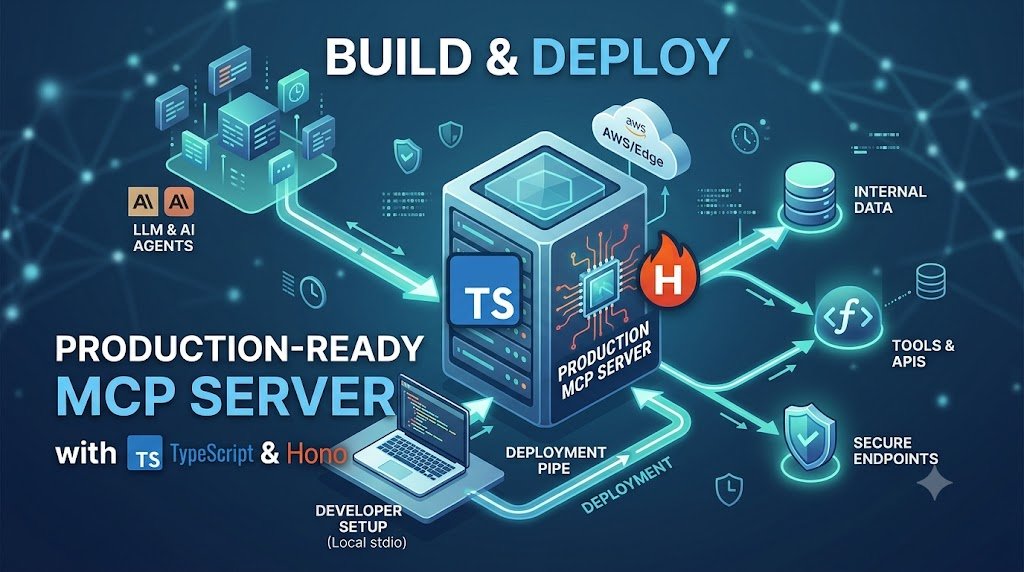
Getting an MCP server working locally is usually the easy part.
The questions become more interesting when I want another application, developer or AI client to reach that server over the network.
Now I need to think about HTTP transport, validation, authentication, deployment, scaling, observability and what the tools are actually allowed to do.
That is the part I want to cover in this guide.
We’ll deploy an MCP server with TypeScript using the current Model Context Protocol TypeScript SDK, Hono and Streamable HTTP.
I also want to correct something from the original version of this article.
The old implementation used:
SSEServerTransport

GET /sse

POST /message
That is now legacy MCP architecture.
The current TypeScript SDK uses Streamable HTTP for remote MCP servers, and the older HTTP+SSE transport is kept only for backwards compatibility.
The MCP specification also changed substantially in July 2026. The current protocol has a stateless core, which makes remote MCP servers much easier to run behind normal load balancers without transport-level sticky sessions.
So rather than patching the old tutorial, I am rebuilding it around the way I would start a new MCP deployment today.
What We Are Going to Build
Our server will expose an MCP endpoint at:
POST /mcpConceptually, the architecture will look like this:
Claude / AI client / MCP host
              |
              v
        HTTPS request
              |
              v
           /mcp
              |
              v
        Hono application
              |
              v
       MCP HTTP handler
              |
        +-----+-----+
        |           |
        v           v
      Tool        Tool
        |           |
        v           v
     API / DB    Internal service
For the tutorial, we’ll expose a small get_server_status tool.
The tool itself is deliberately simple. I want the interesting part of this article to be the MCP architecture around it rather than hiding everything behind a complicated example API.
The MCP Transport Model Changed
If you built an MCP server from an older tutorial, you may have something like this:
Client
   |
   v
GET /sse
   |
   +--- long-running SSE connection

Client
   |
   v
POST /message
That was the older HTTP+SSE transport.
For new remote MCP implementations, I would not build that architecture.
The current SDK recommends Streamable HTTP.
Client
   |
   v
POST /mcp
   |
   v
MCP request
   |
   v
MCP response
Streamable HTTP can still use SSE when streaming is required. The important difference is that SSE is no longer the entire remote transport architecture.
For the current implementation details, I recommend checking the official MCP TypeScript SDK documentation.
MCP 2026-07-28 Is Stateless at the Protocol Level
This is another important change for production deployments.
Older Streamable HTTP deployments could maintain protocol sessions identified using an MCP session ID.
The current 2026-07-28 specification removes that protocol-level session model.
Older architecture

Request 1
   |
   v
Session A
   |
   v
Server instance A


Request 2
   |
   v
Must find Session A


Current architecture

Request 1
   |
   v
Any server instance


Request 2
   |
   v
Any server instance
Each modern MCP request carries the information needed to process that request.
That means an MCP endpoint can fit much more naturally behind infrastructure such as:
- AWS Application Load Balancer
- API Gateway
- Kubernetes services
- Cloudflare Workers
- normal container platforms
If my application itself needs state between tool calls, that is still possible. I just don’t treat hidden transport-session state as the place where my business data belongs.
The current protocol changes are documented in the MCP 2026-07-28 specification announcement.
Why I Am Using Hono
You do not need Hono to build an MCP server.
The TypeScript SDK supports several hosting approaches, including Node HTTP, Express, Fastify, Hono and web-standard runtimes.
I am using Hono here for three practical reasons.
- Its request model works naturally with Web Standard
RequestandResponseobjects. - The MCP SDK now provides a dedicated Hono adapter.
- The same application style can work across Node and several web-standard environments.
I wouldn’t choose Hono simply because it is “faster.”
For an MCP server calling databases, APIs and other services, those downstream operations will often matter more than a tiny framework benchmark difference.
If you’re interested in the broader framework decision, see my NestJS vs Hono comparison.
Step 1: Create the TypeScript Project
Create a new directory:
mkdir production-mcp-server

cd production-mcp-server

npm init -y
Set the project to use ES modules:
npm pkg set type=moduleNow install the MCP server package, its Hono integration, Hono itself and Zod:
npm install \
  @modelcontextprotocol/server \
  @modelcontextprotocol/hono \
  hono \
  @hono/node-server \
  zod
Add the development dependencies:
npm install -D \
  typescript \
  tsx \
  @types/node
The current v2 MCP SDK split the older single package:
@modelcontextprotocol/sdkinto focused packages including:
@modelcontextprotocol/server

@modelcontextprotocol/client

@modelcontextprotocol/hono

@modelcontextprotocol/express

@modelcontextprotocol/fastify

@modelcontextprotocol/node
If you’re starting a new server, I would use the v2 packages rather than copying a v1 import from an older tutorial.
Step 2: Configure TypeScript
Create tsconfig.json:
{
  "compilerOptions": {
    "target": "ES2022",
    "module": "NodeNext",
    "moduleResolution": "NodeNext",
    "rootDir": "src",
    "outDir": "dist",
    "strict": true,
    "skipLibCheck": true,
    "types": ["node"]
  },
  "include": [
    "src/**/*.ts"
  ]
}
I also add a few scripts to package.json:
{
  "scripts": {
    "dev": "tsx watch src/server.ts",
    "build": "tsc -p tsconfig.json",
    "start": "node dist/server.js"
  }
}
During development I use tsx because it keeps the feedback loop simple.
For the deployment example later, I will build JavaScript into dist/ and run it with Node.
Step 3: Build an MCP Server Factory
Create:
src/server.tsStart with these imports:
import { serve } from '@hono/node-server';

import {
  createMcpHonoApp
} from '@modelcontextprotocol/hono';

import {
  createMcpHandler,
  McpServer
} from '@modelcontextprotocol/server';

import type {
  Context
} from 'hono';

import * as z from 'zod/v4';
Now create a function that builds the MCP server:
function buildMcpServer(): McpServer {
  const server = new McpServer({
    name: 'production-mcp-server',
    version: '1.0.0'
  });

  return server;
}
Why a factory instead of one global server instance?
The current HTTP model creates an MCP server for the request being handled.
HTTP request
      |
      v
MCP handler
      |
      v
buildMcpServer()
      |
      v
MCP server instance
      |
      v
process request
That fits the stateless request model much better than storing every client’s transport object in one global map.
Step 4: Register a Real MCP Tool
Let’s add a tool that reports information from the actual Node.js process rather than returning a fake CPU percentage.
Add this inside buildMcpServer():
server.registerTool(
  'get_server_status',
  {
    description:
      'Returns runtime information for the MCP server',

    inputSchema: z.object({
      region: z
        .string()
        .min(1)
        .describe(
          'Deployment region to include in the status response'
        )
    })
  },
  async ({ region }) => {
    const memory =
      process.memoryUsage();

    const status = {
      status: 'ok',
      region,
      nodeVersion:
        process.version,

      uptimeSeconds:
        Math.round(
          process.uptime()
        ),

      memory: {
        rssMb:
          Math.round(
            memory.rss /
            1024 /
            1024
          ),

        heapUsedMb:
          Math.round(
            memory.heapUsed /
            1024 /
            1024
          )
      }
    };

    return {
      content: [
        {
          type: 'text',
          text:
            JSON.stringify(
              status,
              null,
              2
            )
        }
      ]
    };
  }
);
One thing I like here is that the tool has a runtime schema.
This:
inputSchema: z.object({
  region: z.string().min(1)
})
is doing real validation.
TypeScript alone cannot protect a server from malformed input sent by another program.
The MCP client is outside our TypeScript compiler, so runtime validation still matters.
The Complete Server Factory
function buildMcpServer(): McpServer {
  const server = new McpServer({
    name: 'production-mcp-server',
    version: '1.0.0'
  });

  server.registerTool(
    'get_server_status',
    {
      description:
        'Returns runtime information for the MCP server',

      inputSchema: z.object({
        region: z
          .string()
          .min(1)
          .describe(
            'Deployment region'
          )
      })
    },
    async ({ region }) => {
      const memory =
        process.memoryUsage();

      const status = {
        status: 'ok',
        region,

        nodeVersion:
          process.version,

        uptimeSeconds:
          Math.round(
            process.uptime()
          ),

        memory: {
          rssMb:
            Math.round(
              memory.rss /
              1024 /
              1024
            ),

          heapUsedMb:
            Math.round(
              memory.heapUsed /
              1024 /
              1024
            )
        }
      };

      return {
        content: [
          {
            type: 'text',
            text:
              JSON.stringify(
                status,
                null,
                2
              )
          }
        ]
      };
    }
  );

  return server;
}
Step 5: Create the Streamable HTTP Handler
This is the part that replaces the old SSEServerTransport implementation.
const mcpHandler =
  createMcpHandler(
    buildMcpServer
  );
That’s much simpler than manually managing:
activeTransports

session IDs

GET /sse

POST /message

SSEServerTransport
The handler understands the MCP HTTP protocol and connects the HTTP request to the server produced by our factory.
An additional benefit is backwards compatibility.
The current SDK’s createMcpHandler() can serve the modern 2026 protocol and, by default, also provide a stateless compatibility path for 2025-era MCP clients.
That means I don’t need to bring the deprecated SSE transport into a new project simply because some clients have not yet moved to the newest protocol revision.
Step 6: Mount MCP Inside Hono
Create the Hono app:
const app =
  createMcpHonoApp();
Now mount the MCP handler:
app.all(
  '/mcp',
  (c: Context) =>
    mcpHandler.fetch(
      c.req.raw,
      {
        parsedBody:
          c.get(
            'parsedBody'
          )
      }
    )
);
The flow is now:
HTTP /mcp
    |
    v
Hono
    |
    v
mcpHandler.fetch()
    |
    v
MCP server
    |
    v
Tool call
The official MCP Hono adapter also parses JSON bodies and provides sensible Host/Origin protection for localhost development.
Add a Normal Health Endpoint Too
I like keeping operational health separate from MCP tools.
Add:
app.get(
  '/health',
  c =>
    c.json({
      status: 'ok'
    })
);
Why not just call get_server_status from the load balancer?
Because infrastructure health checks should not need to behave like full MCP clients.
Load balancer
     |
     v
GET /health


AI client
     |
     v
POST /mcp
I prefer keeping those responsibilities separate.
Step 7: Start the Server Locally
For local development, I bind explicitly to 127.0.0.1.
const port =
  Number(
    process.env.PORT ??
    3000
  );

serve(
  {
    fetch: app.fetch,
    port,
    hostname:
      '127.0.0.1'
  },
  info => {
    console.log(
      `MCP server: http://127.0.0.1:${info.port}/mcp`
    );

    console.log(
      `Health: http://127.0.0.1:${info.port}/health`
    );
  }
);
Run:
npm run devYou should now have:
http://127.0.0.1:3000/mcp

http://127.0.0.1:3000/health
Complete Local Server
At this point, src/server.ts looks like this:
import {
  serve
} from '@hono/node-server';

import {
  createMcpHonoApp
} from '@modelcontextprotocol/hono';

import {
  createMcpHandler,
  McpServer
} from '@modelcontextprotocol/server';

import type {
  Context
} from 'hono';

import * as z from 'zod/v4';


function buildMcpServer():
  McpServer {

  const server =
    new McpServer({
      name:
        'production-mcp-server',

      version:
        '1.0.0'
    });


  server.registerTool(
    'get_server_status',
    {
      description:
        'Returns runtime information for the MCP server',

      inputSchema:
        z.object({
          region:
            z
              .string()
              .min(1)
              .describe(
                'Deployment region'
              )
        })
    },

    async ({ region }) => {
      const memory =
        process.memoryUsage();

      const status = {
        status: 'ok',

        region,

        nodeVersion:
          process.version,

        uptimeSeconds:
          Math.round(
            process.uptime()
          ),

        memory: {
          rssMb:
            Math.round(
              memory.rss /
              1024 /
              1024
            ),

          heapUsedMb:
            Math.round(
              memory.heapUsed /
              1024 /
              1024
            )
        }
      };

      return {
        content: [
          {
            type: 'text',

            text:
              JSON.stringify(
                status,
                null,
                2
              )
          }
        ]
      };
    }
  );

  return server;
}


const mcpHandler =
  createMcpHandler(
    buildMcpServer
  );


const app =
  createMcpHonoApp();


app.get(
  '/health',

  c =>
    c.json({
      status: 'ok'
    })
);


app.all(
  '/mcp',

  (c: Context) =>
    mcpHandler.fetch(
      c.req.raw,

      {
        parsedBody:
          c.get(
            'parsedBody'
          )
      }
    )
);


const port =
  Number(
    process.env.PORT ??
    3000
  );


serve(
  {
    fetch:
      app.fetch,

    port,

    hostname:
      '127.0.0.1'
  },

  info => {
    console.log(
      `MCP server: http://127.0.0.1:${info.port}/mcp`
    );

    console.log(
      `Health: http://127.0.0.1:${info.port}/health`
    );
  }
);
Test the Health Endpoint First
curl \
  http://127.0.0.1:3000/health
You should receive:
{
  "status": "ok"
}
This only proves that the HTTP server is reachable.
I also want to test MCP using an actual MCP client rather than assuming a 200 response means the protocol is working.
Step 8: Create an MCP Smoke-Test Client
Install the client SDK:
npm install \
  @modelcontextprotocol/client
Create:
src/test-client.tsThen add:
import {
  Client,
  StreamableHTTPClientTransport
} from '@modelcontextprotocol/client';


const client =
  new Client(
    {
      name:
        'deployment-smoke-test',

      version:
        '1.0.0'
    },

    {
      versionNegotiation: {
        mode: 'auto'
      }
    }
  );


const transport =
  new StreamableHTTPClientTransport(
    new URL(
      'http://127.0.0.1:3000/mcp'
    )
  );


try {
  await client.connect(
    transport
  );


  console.log(
    'Protocol era:',
    client.getProtocolEra()
  );


  const tools =
    await client.listTools();


  console.log(
    'Tools:',
    tools.tools.map(
      tool =>
        tool.name
    )
  );


  const result =
    await client.callTool({
      name:
        'get_server_status',

      arguments: {
        region:
          'ap-south-1'
      }
    });


  console.log(
    JSON.stringify(
      result,
      null,
      2
    )
  );

} finally {
  await client.close();
}
Run it while your server is still running:
npx tsx \
  src/test-client.ts
With version negotiation set to auto, a current server should negotiate the modern MCP protocol.
This test is much more useful than only calling the endpoint manually because it verifies:
- MCP protocol negotiation
- tool discovery
- tool input validation
- tool invocation
- response handling
Why I Would Not Test Only with curl
Modern MCP requests include protocol-level details that a real client handles for you.
For example, the 2026 protocol can include headers such as:
MCP-Protocol-Version

Mcp-Method

Mcp-Name
The request also carries client information and capabilities in MCP metadata.
I can hand-build those requests for debugging, but I don’t want my primary integration test to reimplement an MCP client manually.
Step 9: Do Not Expose the Development Server Directly
So far, the server is intentionally bound to:
127.0.0.1That means another machine cannot reach it directly.
For deployment, I may need to bind to:
0.0.0.0But I don’t simply replace the hostname and call the application production-ready.
The moment an MCP server becomes reachable over a network, the security model changes.
Local MCP server
      |
      +--- only local processes


Remote MCP server
      |
      +--- network exposure
      +--- authentication
      +--- authorization
      +--- rate limiting
      +--- TLS
      +--- logging
      +--- tool permissions
Host and Origin Validation Matter
The MCP SDK’s Hono integration includes protections against DNS rebinding for local servers.
When I deliberately bind a production application to all interfaces, I explicitly define the host I expect to serve.
For example:
const app =
  createMcpHonoApp({
    host:
      '0.0.0.0',

    allowedHosts: [
      'mcp.example.com'
    ]
  });
Then the Node server can bind externally:
serve({
  fetch:
    app.fetch,

  port:
    3000,

  hostname:
    '0.0.0.0'
});
In a real deployment, I would normally put TLS termination and network policy in front of that process rather than expose a raw Node port directly to the internet.
The Old Shared Secret Example Was Not Enough
The previous version of this article used something like:
const token =
  process.env.MCP_SECRET_TOKEN;

app.use(
  '*',
  bearerAuth({
    token
  })
);
A shared Bearer secret can be useful in a private controlled integration, but I would not present that as the complete production authorization architecture for an interoperable remote MCP server.
Current MCP authorization is built around OAuth concepts.
A protected MCP resource advertises metadata that tells the client where authorization happens.
MCP client
    |
    v
POST /mcp
    |
    v
401 Unauthorized
    |
    +--- WWW-Authenticate
    |
    +--- resource metadata
    |
    v
Authorization server
    |
    v
User authorizes
    |
    v
Access token
    |
    v
POST /mcp
This is much more than comparing a request header against one static environment variable.
The current MCP SDK provides resource-server helpers for validating Bearer tokens and advertising Protected Resource Metadata. For the full flow, follow the official MCP authorization guide.
What I Would Use for Production Authentication
The exact choice depends on who is calling the server.
| Deployment | What I would consider |
|---|---|
| Local developer server | No public exposure; localhost protections |
| Private internal service | Private network + gateway/IAM/JWT policy |
| Machine-to-machine MCP | OAuth client-credentials style authorization where appropriate |
| Users connecting with different MCP clients | MCP OAuth authorization flow and resource metadata |
| Enterprise environment | Organization identity provider / centrally managed authorization |
What I would not do is leave a powerful MCP endpoint publicly accessible because “the tool names are hard to guess.”
Authentication Is Not Authorization
This distinction matters even more for MCP than for a normal read-only API.
Authentication answers:
Who is calling?
Authorization answers:
Which MCP tools is that caller allowed to use?
Authenticated user
      |
      v
Can read deployment status
      |
      +--- yes


Authenticated user
      |
      v
Can restart production
      |
      +--- maybe not
I don’t want every authenticated caller automatically receiving permission to every tool.
If a server exposes tools with very different risk levels, scopes or per-tool authorization become important.
Design MCP Tools with Narrow Permissions
The best security improvement is often not another middleware package.
It is designing a smaller tool.
For example, I would rather expose:
get_order_status(orderId)than something like:
execute_sql(query)The first tool has a narrow business purpose.
The second gives the model a generic database execution surface.
Even if both are authenticated, their risk profile is completely different.
Read-Only Tools Are a Good Starting Point
When I first deploy an MCP integration, I prefer starting with operations such as:
- search documentation
- read deployment status
- inspect logs
- look up an order
- read monitoring data
before immediately exposing operations such as:
- delete customer
- deploy production
- refund payment
- drop database
- modify infrastructure
I can add write capability later when I understand the workflow and have the right approval boundaries.
Don’t Trust Tool Arguments Because a Model Created Them
MCP tool input is still untrusted input.
If a tool accepts:
{
  "orderId": "123"
}
I validate the value.
If it accepts a filename, URL, shell argument or SQL-related value, I become even more careful.
AI-generated argument
       |
       v
Runtime validation
       |
       v
Authorization check
       |
       v
Business rule
       |
       v
External system
The model should not become a shortcut around the backend’s normal security rules.
Be Careful with Generic Shell Tools
This may be convenient:
run_command({
  command:
    "anything the model wants"
})
It is also extremely powerful.
I prefer exposing specific operations:
check_service_health()

read_application_logs()

restart_worker()
where each tool can enforce its own constraints.
Giving an agent unrestricted shell access should be an intentional security decision, not the easiest way to avoid writing three tools.
Step 10: Build the Production Artifact
Once the server works locally:
npm run buildYou should get:
dist/
   |
   +--- server.js
Then run:
npm startI want the same built artifact that I test to be the one I deploy.
Containerize the MCP Server
A container is not required, but it gives us a straightforward deployment unit.
Create Dockerfile:
FROM node:24-alpine AS build

WORKDIR /app

COPY package*.json ./

RUN npm ci

COPY tsconfig.json ./
COPY src ./src

RUN npm run build


FROM node:24-alpine

WORKDIR /app

ENV NODE_ENV=production
ENV PORT=3000

COPY package*.json ./

RUN npm ci --omit=dev

COPY --from=build \
  /app/dist \
  ./dist

USER node

EXPOSE 3000

CMD [
  "node",
  "dist/server.js"
]
I use an LTS Node.js image for production rather than blindly tracking the newest Current release.
Node.js release status changes over time, so check the official Node.js release schedule when you update your image.
Add a .dockerignore
node_modules
dist
.git
.env
*.log
I especially don’t want local environment files accidentally copied into an image build context.
Run the Container Locally
docker build \
  -t production-mcp .
For container deployment, remember that the application must listen on an externally reachable interface rather than only 127.0.0.1.
I normally make that configurable instead of hardcoding it.
const hostname =
  process.env.HOST ??
  '127.0.0.1';
Then the container can use:
HOST=0.0.0.0while local development remains loopback-only.
Production Host Validation Must Match the Deployment
If my public MCP URL is:
https://mcp.example.com/mcpI configure Hono around that expected host rather than accepting arbitrary hosts.
const app =
  createMcpHonoApp({
    host:
      '0.0.0.0',

    allowedHosts: [
      'mcp.example.com'
    ]
  });
This is one reason I would not simply take the localhost source file and expose port 3000 publicly.
Where Can I Deploy It?
Once the server speaks standard HTTP, the infrastructure choices become much less unusual.
Depending on the application, options include:
- AWS ECS / Fargate
- Kubernetes
- a normal VPS
- container hosting platforms
- AWS Lambda / API Gateway where the application model fits
- Cloudflare Workers for web-standard implementations
- other serverless or edge platforms supported by the chosen framework/runtime
I would choose based on the tool workload rather than selecting infrastructure because Hono technically runs there.
If a tool opens long-running database connections, runs heavy Node-specific libraries or needs private VPC access, that may influence the deployment more than the HTTP framework does.
What Changed for AWS Scaling?
This is one area where the new MCP protocol model is genuinely useful.
With older stateful MCP HTTP setups, I had to think about whether later requests would reach the same session-owning process.
Load balancer
   |
   +--- Instance A owns session 123
   |
   +--- Instance B does not


Next request
   |
   +--- must reach A?
That complicates ordinary horizontal scaling.
The modern stateless MCP protocol removes the protocol-level session dependency.
Load balancer
     |
     +--- Instance A
     |
     +--- Instance B
     |
     +--- Instance C


Any request
     |
     v
Any healthy instance
That doesn’t mean application state magically disappears.
If my tools need persistent state, I put it somewhere designed to survive process changes:
- PostgreSQL
- Redis
- DynamoDB
- S3/object storage
- another durable service
Do Not Keep Important State Only in Memory
For example:
const jobs =
  new Map();
may be fine for a tutorial.
It becomes a production problem if:
Instance A
   |
   +--- job 123 in memory


Instance A restarts
   |
   v
job 123 disappears
or:
Request creates job
        |
        v
Instance A


Next request
        |
        v
Instance B
        |
        v
job not found
The stateless transport helps horizontal scaling, but the application still needs sane state management.
Long-Running Tools Need a Different Design
I would not keep an HTTP request open for twenty minutes while a tool performs a large batch operation if there is a cleaner background-job design.
Tool call
   |
   v
Create job
   |
   v
Return job handle


Worker
   |
   v
Run long operation


Later
   |
   v
Check job result
The modern MCP ecosystem also has a Tasks extension for long-running agent work, but I would use it intentionally rather than making every ordinary tool a task.
Timeout Every External Dependency
An MCP tool is still backend code.
If the tool calls an external API, I do not want it waiting forever.
const response =
  await fetch(
    externalUrl,

    {
      signal:
        AbortSignal.timeout(
          5000
        )
    }
  );
If the operation takes too long, fail clearly.
Without timeouts, one failing dependency can slowly consume server resources while clients wait for responses that may never arrive.
Be Careful with Retries on Write Tools
Imagine a tool:
refund_payment()The request times out after the payment provider processed the refund but before our server received the response.
If I blindly retry it, what happens?
Potentially a second refund.
For operations with side effects, I think about:
- idempotency keys
- duplicate requests
- retry-safe status codes
- transaction boundaries
- human confirmation for destructive actions
MCP doesn’t remove normal distributed-systems problems.
Logs Need Tool Context
For a production MCP server, a generic log like:
Error happenedis not useful.
I want structured information such as:
{
  "level":
    "error",

  "tool":
    "get_order_status",

  "requestId":
    "req-123",

  "durationMs":
    821,

  "errorCode":
    "DATABASE_TIMEOUT"
}
I do not log:
- access tokens
- passwords
- private API keys
- full sensitive tool arguments
- unnecessary personal data
Agent tooling can move sensitive data through more places than a basic public API, so log review matters.
Metrics I Would Watch
At minimum, I want to know:
- request count
- tool-call count by tool
- tool latency
- failure rate
- authentication failures
- rate-limit events
- external dependency latency
- CPU and memory
If one MCP tool suddenly goes from 200 ms to 12 seconds, I want to detect that before users tell me the AI “feels slow.”
Add Rate Limits Where They Matter
An authenticated client can still make too many requests.
And some tools are much more expensive than others.
search_docs()
    |
    +--- cheap


generate_monthly_report()
    |
    +--- expensive database work


rebuild_search_index()
    |
    +--- very expensive
I don’t necessarily want the same rate limit for all three.
The current MCP protocol also exposes method and tool names through HTTP headers in the modern protocol, which can make gateway-level routing, metering and policy easier.
Graceful Shutdown Still Matters
When a container receives SIGTERM during deployment, I don’t want it vanishing in the middle of work.
A production server should have a shutdown strategy for resources such as:
- HTTP server
- database connections
- Redis
- queue consumers
- telemetry exporters
The exact implementation depends on the runtime and resources your tools use, but I include shutdown behaviour in deployment planning instead of adding it after the first broken rollout.
Local stdio and Remote HTTP Solve Different Problems
I wouldn’t replace every local MCP server with HTTP.
stdio remains a very good transport when the MCP host launches the server locally as a child process.
Claude Code
     |
     v
launch local process
     |
     v
stdio MCP server
There is no public network service to operate.
Remote HTTP makes sense when:
MCP client
     |
 Internet / network
     |
     v
Remote MCP server
Examples include:
- a team sharing the same MCP capability
- a cloud AI application accessing an internal service
- centrally managed enterprise tools
- an MCP service running independently from the client
I choose the transport based on the architecture rather than assuming remote HTTP is automatically more advanced.
Migrate an Old SSE MCP Server
If you already have a server using:
@modelcontextprotocol/sdk

SSEServerTransport

GET /sse

POST /message
I would treat that as migration work rather than building more features on top of the old transport.
The general direction is:
Old SDK
   |
   v
Upgrade to v2 packages
   |
   v
McpServer factory
   |
   v
createMcpHandler()
   |
   v
single /mcp endpoint
   |
   v
Streamable HTTP
The official TypeScript SDK provides a migration codemod:
npx \
  @modelcontextprotocol/codemod@latest \
  v1-to-v2 \
  .
I would still review the migration manually afterward, especially around transports and authentication.
The official v1-to-v2 migration guide documents the package and transport changes.
What About Old MCP Clients?
I wouldn’t add deprecated HTTP+SSE support automatically to every new server.
The current SDK already provides compatibility for previous stateless Streamable HTTP clients through createMcpHandler().
A client that only understands the much older HTTP+SSE transport is a different case.
If I genuinely need to support one, I would follow the SDK’s legacy compatibility guidance rather than making the legacy transport the foundation of the new application.
A Production Architecture I Would Be Comfortable Starting With
                 Internet
                    |
                    v
              HTTPS / WAF
                    |
                    v
           Authentication
                    |
                    v
             Load Balancer
              /     |     \
             /      |      \
            v       v       v
          MCP A   MCP B   MCP C
            \       |       /
             \      |      /
              +-----+-----+
                    |
          +---------+---------+
          |         |         |
          v         v         v
      PostgreSQL  Redis    External API
                    |
                    v
                  Queue
The MCP service itself can stay relatively boring.
That’s a good thing.
I don’t want transport session state, authentication logic, database state and tool execution all mixed into one giant process-level map.
My MCP Production Checklist
Before I call a remote MCP server production-ready, I want to answer these questions:
- Are we using the current MCP TypeScript SDK rather than an obsolete SSE example?
- Is the remote endpoint using Streamable HTTP?
- Are tool inputs validated at runtime?
- Does each tool expose the minimum capability required?
- Is the endpoint protected by authentication?
- Is authorization enforced per user/tool where required?
- Is traffic encrypted with HTTPS?
- Are Host and Origin rules correct for the deployment?
- Are external calls protected by timeouts?
- Are write operations safe to retry?
- Do destructive tools require stronger controls?
- Is persistent state stored outside process memory?
- Can the server scale horizontally?
- Do we have health checks?
- Do we have structured logs?
- Can we measure tool latency and errors?
- Are secrets kept outside source control?
- Does deployment support graceful shutdown?
- Have we tested the deployed endpoint with a real MCP client?
Common Mistakes I Would Avoid
1. Following an Old SSE Tutorial
If a new tutorial starts by creating separate /sse and /message endpoints using SSEServerTransport, I would check its publication date and SDK version.
2. Calling a Static Token “Production Security”
A private shared secret may be enough for a controlled internal scenario. It is not the complete authorization architecture for a broadly interoperable remote MCP service.
3. Giving the Model a Generic Shell Tool
I prefer purpose-built tools with narrow permissions.
4. Treating TypeScript as Runtime Validation
External MCP requests still need runtime schemas.
5. Keeping Important State in a Map
Process memory disappears on restart and is not shared across instances.
6. Forgetting Timeouts
A slow downstream API should not hold an MCP tool call indefinitely.
7. Blindly Retrying Destructive Tools
Side effects need idempotency and deliberate retry behaviour.
8. Exposing Port 3000 Directly to the Internet
Production networking, TLS, authentication and host validation should be intentional.
9. Assuming “Stateless MCP” Means the Application Has No State
The protocol can be stateless while your tools still use databases, queues and durable application state.
10. Testing Only Locally
Load balancers, proxies, authentication, TLS and network timeouts can expose problems that localhost never shows.
What I Would Build Next
Once this basic MCP server is deployed, I would add complexity gradually.
Step 1
Read-only status tool
      |
      v
Step 2
Real database/API integration
      |
      v
Step 3
OAuth authorization
      |
      v
Step 4
Per-tool permissions
      |
      v
Step 5
Structured logs + metrics
      |
      v
Step 6
Background work
      |
      v
Step 7
Carefully controlled write tools
I would not start by connecting production databases, cloud administrator credentials and unrestricted shell execution on day one.
An MCP server becomes more useful as its tools gain authority.
It also becomes more dangerous.
I want those two things to grow together with the appropriate controls.
Final Thoughts
Deploying an MCP server today is much cleaner than the original version of this article suggested.
I no longer need to start a new remote implementation by creating an SSE connection endpoint, a second message endpoint and an in-memory map of active transports.
The current architecture is much closer to a normal modern web service:
HTTPS
   |
   v
/mcp
   |
   v
authentication
   |
   v
MCP handler
   |
   v
validated tools
   |
   v
application services
That is a much easier architecture for me to reason about and operate.
The part I would spend most of my production effort on is not the transport.
I would spend it on the boundaries around the tools:
- who can call them
- what they are allowed to access
- what happens when dependencies fail
- whether actions can safely be repeated
- what gets logged
- how destructive operations are controlled
Getting an MCP server to respond is the beginning.
Building one that I would trust with real systems requires the same engineering discipline I would apply to any production backend.
Use the protocol to expose capabilities. Use normal backend engineering to decide how much capability the agent should actually receive.
Continue Learning
If you’re building MCP servers and AI development workflows, these guides continue from here: