I started using MCP with Claude Code because I kept running into the same problem: the model could write good code, but sometimes it was working from outdated library knowledge or missing context that existed outside the current repository.
That is where the Model Context Protocol became useful for me.
Instead of treating Claude Code as a closed coding assistant, MCP lets me connect it to external tools and sources of information. In practice, that can mean current documentation, internal APIs, issue trackers, databases, or a custom service I build myself.
In this guide, I’ll show how I connect an MCP server with Claude Code, using Context7 as the practical example. I’ll cover local and remote setup, project scopes, API keys, testing, troubleshooting, and the things I would be careful about before giving an MCP server access to a real development environment.
What MCP Actually Adds to Claude Code
MCP stands for Model Context Protocol.
The easiest way I think about it is as a standard connection layer between an AI client and an external capability.
Claude Code
     ↓
MCP client
     ↓
MCP server
     ↓
External system

Examples:
- documentation
- APIs
- databases
- GitHub
- issue trackers
- internal tools
The MCP server exposes capabilities that Claude Code can discover and use when they are relevant to the task.
For coding work, I find this especially useful when the model needs information that changes faster than model training data—for example, a library’s current API or installation instructions.
Why I Use MCP with Claude Code
I do not add MCP servers just because they are available. Every integration adds another dependency and another permission boundary.
I use one when it solves a clear problem.
- Current documentation: pull recent library or framework docs instead of relying on older examples.
- Tool access: let Claude interact with a service that already exists in my workflow.
- Project-specific context: expose information that is not part of the source repository.
- Automation: reduce repetitive manual lookup or copy/paste work.
- Custom workflows: wrap internal APIs or development tools behind a small MCP interface.
The biggest benefit for me is not “making AI smarter.” It is giving the model access to the right information at the moment it needs it.
The Two MCP Setups I Use Most Often
For Claude Code, the two setups I care about most are:
- stdio — run an MCP server locally as a child process.
- HTTP — connect Claude Code to a remote MCP endpoint.
Local MCP

Claude Code
   ↓
stdio
   ↓
Local Node/Python process


Remote MCP

Claude Code
   ↓
HTTP
   ↓
Remote MCP server
For a local development tool, stdio is often the simplest option.
For a service that needs to be shared across machines or team members, HTTP usually makes more sense.
Context7: The MCP Server I Use for Current Documentation
Context7 is a good example because its purpose is easy to understand: it gives coding assistants access to more current library documentation and examples.
When I am working with a framework or package that changes quickly, I would rather have Claude check the current documentation than confidently generate code for an API that changed months ago.
Context7 supports both a remote HTTP connection and a local package-based setup for Claude Code. Its current installation guidance recommends HTTP or stdio rather than the older SSE approach.
Option 1: Connect Context7 to Claude Code over HTTP
This is the setup I would choose when I want Claude Code to connect directly to Context7’s hosted MCP endpoint.
claude mcp add --transport http context7 https://mcp.context7.com/mcpIf you have a Context7 API key, add it as a request header:
claude mcp add \
  --transport http \
  context7 \
  https://mcp.context7.com/mcp \
  --header "CONTEXT7_API_KEY: YOUR_API_KEY"
I prefer keeping real API keys outside screenshots, repositories, shell history examples, and documentation.
Use a placeholder in team documentation and provide the real value through your normal secrets workflow.
Option 2: Run Context7 Locally with stdio
If I want the MCP server to run locally, Claude Code can start the Context7 package through npx.
claude mcp add context7 -- npx -y @upstash/context7-mcpIf you use an API key:
claude mcp add context7 -- \
  npx -y \
  @upstash/context7-mcp \
  --api-key YOUR_API_KEY
This setup means Claude Code starts the MCP process locally and communicates with it through standard input and output.
Which Setup Should You Choose?
| Situation | What I Would Use |
|---|---|
| Quick personal setup | Remote HTTP |
| Local custom MCP server | stdio |
| Shared hosted service | HTTP |
| Server needs local files/tools | stdio |
| Team needs the same endpoint | HTTP |
There is no need to make the transport decision more complicated than the use case requires.
Check That Claude Code Can See the MCP Server
After adding a server, I verify the configuration before debugging anything else.
claude mcp listInside Claude Code, you can also use:
/mcpThis is useful because it tells you whether the problem is the MCP connection itself or the way you are prompting Claude.
How I Test Context7 After Installing It
I start with something small and obvious rather than immediately asking Claude to refactor a large application.
For example:
Show me the current recommended setup
for Fastify logging.

Use Context7.
Or:
Check the latest documentation for
NestJS ValidationPipe and show me the
recommended production configuration.

Use Context7.
If Claude uses the MCP tools successfully, I know the connection is working before I move on to a real project task.
My Context7 + Claude Code Video Tutorial
I also recorded a hands-on walkthrough showing exactly how I integrate Context7 MCP with Claude Code.
If you prefer watching the setup rather than reading CLI commands, this video goes through the process step by step.
This is also one reason I like keeping Context7 in this article instead of using a completely theoretical MCP example: it is a setup I have actually worked through and demonstrated.
Make Context7 Automatic with CLAUDE.md
If I find myself writing “use Context7” repeatedly, I would rather make the preference part of the project instructions.
Context7 recommends adding a rule to CLAUDE.md if you want Claude Code to use it automatically for documentation-related work.
For example:
When I ask for library documentation,
installation steps, configuration,
or API examples, use Context7 when
current documentation would improve
the answer.
I prefer wording the rule like this rather than forcing Context7 into every single request.
If I am asking Claude to rename a variable, I do not need an external documentation lookup.
Project Scope vs User Scope
One detail that matters more once you use several MCP servers is deciding where each configuration belongs.
I think about it this way:
Only this repository needs it?
→ Project-level configuration

I use it across many projects?
→ User-level configuration

Contains team-specific tooling?
→ Project scope may be easier to share

Contains personal credentials?
→ Keep secrets outside shared config
I avoid turning every MCP server into a global dependency. A project should not inherit tools it does not need.
Be Careful with MCP Permissions
This is the part I think developers should pay more attention to.
An MCP server is not just “extra context.” Depending on what it exposes, it may allow an AI client to read files, query services, access private data, or execute actions.
Before connecting an MCP server, I ask:
- Who maintains this server?
- What tools does it expose?
- What data can it read?
- Can it modify anything?
- Does it need an API key?
- Where is that key stored?
- Would I give the same permissions to a normal third-party application?
I treat MCP integrations as real software integrations, not harmless prompt extensions.
Do Not Put Secrets Directly into Shared MCP Config
One mistake I avoid is committing credentials into a project configuration file.
For example, do not push something like this to a public repository:
{
  "CONTEXT7_API_KEY":
    "real-production-key-here"
}
I prefer environment variables, a secrets manager, or another credential mechanism appropriate to the deployment environment.
The same rule applies to GitHub tokens, database credentials, cloud keys, and internal API secrets.
Troubleshooting: MCP Server Does Not Appear
When an MCP integration fails, I debug it in a fixed order instead of changing several things at once.
1. Confirm the server is registered
claude mcp listIf it is not listed, I fix the configuration first.
2. Test the underlying command manually
For a local server, I check whether the command itself can start.
npx -y @upstash/context7-mcpIf that fails outside Claude Code, the problem is probably not Claude Code.
3. Check the Node.js version
MCP packages can raise their runtime requirements over time, so I check the package’s current requirements instead of assuming an older Node.js version is still supported.
node --version4. Check credentials
A server may be reachable but still fail because its API key or authentication header is missing.
5. Restart Claude Code after configuration changes
If I have changed the MCP configuration substantially, restarting the client is a simple check before deeper debugging.
Troubleshooting: Works in Terminal but Not in Claude Code
This usually makes me look at the execution environment.
- Is the executable available on Claude Code’s PATH?
- Is the working directory different?
- Are environment variables missing?
- Is the command different on Windows?
- Does the process write non-protocol output to stdout?
For stdio MCP servers in particular, stdout is part of the protocol channel, so I am careful about dumping normal debug logs there.
I send diagnostics to stderr or a logging destination instead.
Troubleshooting Context7 Specifically
If Context7 appears connected but Claude is not using it, I test with an explicit prompt first:
Use Context7 to check the current
documentation for this API before
answering.
If that works, the server is fine and the remaining issue is usually tool selection or project instructions.
That is when adding a sensible rule to CLAUDE.md becomes useful.
Building Your Own MCP Server
Context7 is useful because somebody else already built the service. But the part of MCP that interests me most as a developer is being able to expose my own tools.
A custom MCP server makes sense when Claude needs controlled access to something specific to your workflow.
- an internal deployment API
- a company knowledge service
- a custom reporting database
- project management data
- a testing system
- a private developer tool
I try to keep the first version very small.
MCP server

Tool:
get_project_status(projectId)

      ↓

Internal API

      ↓

Return only the information
Claude actually needs
I would rather expose five well-designed tools than one giant “run anything” endpoint.
What Makes a Good MCP Tool?
The same API-design principles still apply.
I prefer MCP tools that have:
- a clear name
- a narrow responsibility
- well-defined inputs
- predictable output
- helpful validation errors
- minimal permissions
For example, this is easier to reason about:
get_order_status(orderId)than:
execute_database_query(sql)The second tool exposes much more power than the model may actually need.
Local MCP vs Production MCP
A local proof of concept and a production MCP server have very different requirements.
| Local Development | Production |
|---|---|
| stdio may be enough | HTTP service often makes more sense |
| one developer | multiple clients/users |
| local credentials | managed authentication |
| manual restart | monitoring and recovery |
| simple logging | structured observability |
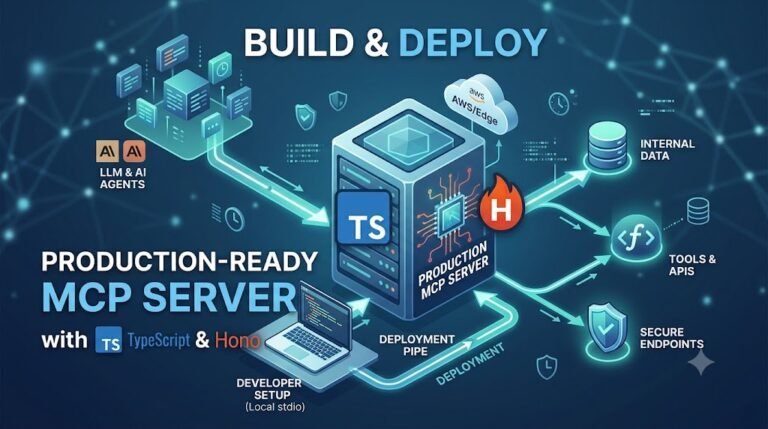
If you are building your own TypeScript MCP service and want to move beyond a local setup, I wrote a separate guide on deploying a TypeScript MCP server for production.
What I Learned from Using MCP in Real Development Work
The most useful lesson for me has been that adding more tools does not automatically create a better coding workflow.
At first, it is tempting to connect everything.
Docs
GitHub
Database
Browser
Issue tracker
Monitoring
Cloud
Files
Search
...
But every extra integration adds more tools for the model to choose from, more configuration to maintain, and potentially more access to sensitive systems.
I now prefer starting with one clear MCP use case and expanding only when another integration solves a problem I actually have.
My MCP Setup Checklist
- Choose an MCP server that solves a real problem.
- Decide whether local stdio or remote HTTP makes more sense.
- Register it with Claude Code.
- Confirm it appears with
claude mcp list. - Test with one small explicit request.
- Keep API keys outside shared source files.
- Review what tools and permissions the server exposes.
- Add project instructions only when automatic tool use is genuinely helpful.
- Do not connect unnecessary MCP servers.
- For custom production servers, add authentication, validation, logging, and monitoring.
Claude Code MCP: Quick Answers
Does Claude Code support MCP?
Yes. Claude Code can connect to MCP servers and use the capabilities they expose.
Should I use stdio or HTTP?
I use stdio for local processes and HTTP when the MCP server is hosted remotely or needs to be shared.
Is SSE still the recommended Context7 setup?
No. Current Context7 guidance recommends HTTP or stdio, and older SSE transport support is being phased out.
Do I need an API key for Context7?
Context7 can be used without one in some scenarios, while an API key provides additional access such as higher limits and private-repository functionality depending on the service configuration.
Can Claude Code use Context7 automatically?
Yes. You can add a project instruction in CLAUDE.md telling Claude when to use Context7, rather than typing the instruction manually each time.
Final Thoughts
For me, the useful part of MCP is not that it makes Claude Code feel more complicated. It is that it gives me a clean way to connect Claude to information and tools that already matter to my development workflow.
Context7 is a good first MCP server because the benefit is easy to see: when I am working with a library that changes frequently, Claude can check current documentation instead of relying only on what it already knows.
From there, MCP becomes much more interesting when you start exposing your own tools—but that is also where security and architecture matter more.
I would start small:
Connect one useful MCP server
→ test it
→ understand its permissions
→ use it in real work
→ only then add more
That has worked better for me than building a huge AI tool stack before I know which integrations actually save time.
If you want to see the Context7 setup instead of just reading about it, watch my video tutorial above. And if your next step is hosting your own MCP service, continue with my production TypeScript MCP deployment guide.